

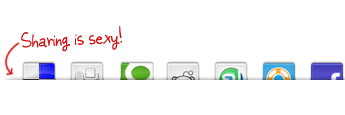
Sebenarnya memasangnya cukup mudah, Malas mau jelasin ini itu lagi hhe..soalnya mau mandi and go to mosque buat sholat jumat :) . langsung sajalah ikuti langkah maha berikut
Berikut langkah-langkah memasang Social Bookmark "Sharing is Sexy"
- Sign in ke Blogger
- Design/Rancangan > Edit HTML > (beri tanda centang pada Expand Template Widget)
Langkah Pertama
- Tekan CTRL+F (Find) dan carilah kode berikut:
2.Setelah itu, Copy Paste (CoPas) kode HTML di bawah ini, dan di letakkan tepat di bawah kode yang sudah di temukan sebelumnya.
<style type='text/css'>
div.sexy-bookmarks {
height:54px;
background:url(http://lh6.ggpht.com/_jbkNrmCMciA/S0LzgwKInEI/AAAAAAAAAI8/DR7PJN1zZ4w/2ueii3t.png;) no-repeat left bottom;
position:relative;
width:540px;
}
div.sexy-bookmarks span.sexy-rightside {
width:17px;
height:54px;
background:url(http://lh6.ggpht.com/_jbkNrmCMciA/S0LzgwKInEI/AAAAAAAAAI8/DR7PJN1zZ4w/2ueii3t.png;) no-repeat right bottom;
position:absolute;
right:-17px;
}
div.sexy-bookmarks ul.socials {
margin:0 !important;
padding:0 !important;
position:absolute;
bottom:0;
left:10px;
}
div.sexy-bookmarks ul.socials li {
display:inline-block !important;
float:left !important;
list-style-type:none !important;
margin:0 !important;
height:29px !important;
width:48px !important;
cursor:pointer !important;
padding:0 !important;
}
div.sexy-bookmarks ul.socials a {
display:block !important;
width:48px !important;
height:29px !important;
font-size:0 !important;
color:transparent !important;
}
.sexy-furl, .sexy-furl:hover, .sexy-digg, .sexy-digg:hover, .sexy-reddit, .sexy-reddit:hover, .sexy-stumble, .sexy-stumble:hover, .sexy-delicious, .sexy-delicious:hover, .sexy-blinklist, .sexy-blinklist:hover, .sexy-technorati, .sexy-technorati:hover, .sexy-facebook, .sexy-facebook:hover, .sexy-twitter, .sexy-twitter:hover, .sexy-myspace, .sexy-myspace:hover, .sexy-mixx, .sexy-mixx:hover, .sexy-script-style, .sexy-script-style:hover, .sexy-designfloat, .sexy-designfloat:hover, .sexy-syndicate, .sexy-syndicate:hover, .sexy-email, .sexy-email:hover {
background:url(http://lh3.ggpht.com/_jbkNrmCMciA/S0L0LTMHK3I/AAAAAAAAAJA/6CI-9z_57CU/1znbj83.png;) no-repeat !important;
}
.sexy-furl {
background-position:-300px top !important;
}
.sexy-furl:hover {
background-position:-300px bottom !important;
}
.sexy-digg {
background-position:-500px top !important;
}
.sexy-digg:hover {
background-position:-500px bottom !important;
}
.sexy-reddit {
background-position:-100px top !important;
}
.sexy-reddit:hover {
background-position:-100px bottom !important;
}
.sexy-stumble {
background-position:-50px top !important;
}
.sexy-stumble:hover {
background-position:-50px bottom !important;
}
.sexy-delicious {
background-position:left top !important;
}
.sexy-delicious:hover {
background-position:left bottom !important;
}
.sexy-blinklist {
background-position:-600px top !important;
}
.sexy-blinklist:hover {
background-position:-600px bottom !important;
}
.sexy-technorati {
background-position:-700px top !important;
}
.sexy-technorati:hover {
background-position:-700px bottom !important;
}
.sexy-myspace {
background-position:-200px top !important;
}
.sexy-myspace:hover {
background-position:-200px bottom !important;
}
.sexy-twitter {
background-position:-350px top !important;
}
.sexy-twitter:hover {
background-position:-350px bottom !important;
}
.sexy-facebook {
background-position:-450px top !important;
}
.sexy-facebook:hover {
background-position:-450px bottom !important;
}
.sexy-mixx {
background-position:-250px top !important;
}
.sexy-mixx:hover {
background-position:-250px bottom !important;
}
.sexy-script-style {
background-position:-400px top !important;
}
.sexy-script-style:hover {
background-position:-400px bottom !important;
}
.sexy-designfloat {
background-position:-550px top !important;
}
.sexy-designfloat:hover {
background-position:-550px bottom !important;
}
.sexy-syndicate {
background-position:-150px top !important;
}
.sexy-syndicate:hover {
background-position:-150px bottom !important;
}
.sexy-email {
background-position:-753px top !important;
}
.sexy-email:hover {
background-position:-753px bottom !important;
}
</style>
div.sexy-bookmarks {
height:54px;
background:url(http://lh6.ggpht.com/_jbkNrmCMciA/S0LzgwKInEI/AAAAAAAAAI8/DR7PJN1zZ4w/2ueii3t.png;) no-repeat left bottom;
position:relative;
width:540px;
}
div.sexy-bookmarks span.sexy-rightside {
width:17px;
height:54px;
background:url(http://lh6.ggpht.com/_jbkNrmCMciA/S0LzgwKInEI/AAAAAAAAAI8/DR7PJN1zZ4w/2ueii3t.png;) no-repeat right bottom;
position:absolute;
right:-17px;
}
div.sexy-bookmarks ul.socials {
margin:0 !important;
padding:0 !important;
position:absolute;
bottom:0;
left:10px;
}
div.sexy-bookmarks ul.socials li {
display:inline-block !important;
float:left !important;
list-style-type:none !important;
margin:0 !important;
height:29px !important;
width:48px !important;
cursor:pointer !important;
padding:0 !important;
}
div.sexy-bookmarks ul.socials a {
display:block !important;
width:48px !important;
height:29px !important;
font-size:0 !important;
color:transparent !important;
}
.sexy-furl, .sexy-furl:hover, .sexy-digg, .sexy-digg:hover, .sexy-reddit, .sexy-reddit:hover, .sexy-stumble, .sexy-stumble:hover, .sexy-delicious, .sexy-delicious:hover, .sexy-blinklist, .sexy-blinklist:hover, .sexy-technorati, .sexy-technorati:hover, .sexy-facebook, .sexy-facebook:hover, .sexy-twitter, .sexy-twitter:hover, .sexy-myspace, .sexy-myspace:hover, .sexy-mixx, .sexy-mixx:hover, .sexy-script-style, .sexy-script-style:hover, .sexy-designfloat, .sexy-designfloat:hover, .sexy-syndicate, .sexy-syndicate:hover, .sexy-email, .sexy-email:hover {
background:url(http://lh3.ggpht.com/_jbkNrmCMciA/S0L0LTMHK3I/AAAAAAAAAJA/6CI-9z_57CU/1znbj83.png;) no-repeat !important;
}
.sexy-furl {
background-position:-300px top !important;
}
.sexy-furl:hover {
background-position:-300px bottom !important;
}
.sexy-digg {
background-position:-500px top !important;
}
.sexy-digg:hover {
background-position:-500px bottom !important;
}
.sexy-reddit {
background-position:-100px top !important;
}
.sexy-reddit:hover {
background-position:-100px bottom !important;
}
.sexy-stumble {
background-position:-50px top !important;
}
.sexy-stumble:hover {
background-position:-50px bottom !important;
}
.sexy-delicious {
background-position:left top !important;
}
.sexy-delicious:hover {
background-position:left bottom !important;
}
.sexy-blinklist {
background-position:-600px top !important;
}
.sexy-blinklist:hover {
background-position:-600px bottom !important;
}
.sexy-technorati {
background-position:-700px top !important;
}
.sexy-technorati:hover {
background-position:-700px bottom !important;
}
.sexy-myspace {
background-position:-200px top !important;
}
.sexy-myspace:hover {
background-position:-200px bottom !important;
}
.sexy-twitter {
background-position:-350px top !important;
}
.sexy-twitter:hover {
background-position:-350px bottom !important;
}
.sexy-facebook {
background-position:-450px top !important;
}
.sexy-facebook:hover {
background-position:-450px bottom !important;
}
.sexy-mixx {
background-position:-250px top !important;
}
.sexy-mixx:hover {
background-position:-250px bottom !important;
}
.sexy-script-style {
background-position:-400px top !important;
}
.sexy-script-style:hover {
background-position:-400px bottom !important;
}
.sexy-designfloat {
background-position:-550px top !important;
}
.sexy-designfloat:hover {
background-position:-550px bottom !important;
}
.sexy-syndicate {
background-position:-150px top !important;
}
.sexy-syndicate:hover {
background-position:-150px bottom !important;
}
.sexy-email {
background-position:-753px top !important;
}
.sexy-email:hover {
background-position:-753px bottom !important;
}
</style>
langkah pertama sudah selesai,
Langkah berikutnya adalah;
- Tekan CTRL+F (Find) dan carilah kode berikut:
<data:post.body/> - Kemudian, copas HTML di bawah ini, tepat di bawah ini kode ini <data:post.body/>
<div class='sexy-bookmarks'> <ul class='socials'> <li class='sexy-delicious'><a expr:href='"http://del.icio.us/post?url=" + data:post.url + "&title=" + data:post.title' target='_blank'/></li> <li class='sexy-digg'><a expr:href='" http://digg.com/submit?url=" + data:post.url + "&title=" + data:post.title' target='_blank'/></li> <li class='sexy-technorati'><a expr:href='" http://technorati.com/faves?add=" + data:post.url + "&title=" + data:post.title' target='_blank'/></li> <li class='sexy-reddit'><a expr:href='" http://www.reddit.com/submit?url=" + data:post.url + "&title=" + data:post.title' target='_blank'/></li> <li class='sexy-stumble'><a expr:href='" http://www.stumbleupon.com/submit?url=" + data:post.url + "&title=" + data:post.title' target='_blank'/></li> <li class='sexy-designfloat'><a expr:href='"http://www.designfloat.com/submit.php?url=" + data:post.url + "&title=" + data:post.title' target='_blank'/></li> <li class='sexy-facebook'><a expr:href='" http://www.facebook.com/sharer.php?u=" + data:post.url + "&title=" + data:post.title' target='_blank'/></li> <li class='sexy-twitter'><a expr:href='" http://twitthis.com/twit?url=" + data:post.url + "&title=" + data:post.title' target='_blank'/></li> <li class='sexy-furl'><a expr:href='" http://www.furl.net/storeIt.jsp?u=" + data:post.url + "&title=" + data:post.title' target='_blank'/></li> <li class='sexy-syndicate'><a href='http://feeds2.feedburner.com/YOUR-FEEDBURNER-ID' title='Subscribe to RSS'/></li> <li class='sexy-email'><a expr:href='" mailto:?subject=" + data:post.url + "&title=" + data:post.title' target='_blank'/></li> </ul> <span class='sexy-rightside'/></div>
- Setelah semua lengkap.. Simpan Template Anda.




Posting Komentar